
Create Artwork Files That You Can Actually Print
AI changed the game for clothing brands faster than anyone expected. A concept that once lived in your head can instantly become a graphic tee design, an embroidered patch idea, or finished artwork for a full streetwear collection.
The biggest failure that creatives run into is designing an entire mock-up when really they should focus on the artwork itself. No printer can take a picture of a t-shirt with artwork on it and print that! Printers need high-resolution artwork files prepared at scale to print on the items you design. This is where AI comes in handy – it can create artwork for you!
According to McKinsey & Company’s report on generative AI, generative AI could add between $2.6 trillion and $4.4 trillion annually to the global economy. Fashion and retail brands are increasingly adopting AI tools for ideation, content creation, and workflow efficiency.
But when it comes to apparel production, AI-generated artwork still requires human refinement, print preparation, vector cleanup, and technical production knowledge before it’s ready for embroidery, screen printing, or DTG production. If you run a clothing brand, AI should not replace your creative process. It should speed it up.
This guide breaks down the smartest way to use AI for creating artwork files for apparel while avoiding the mistakes that lead to blurry prints, unusable files, and expensive production issues.
AI Gets You 90% There. The Last 10% Matters Most
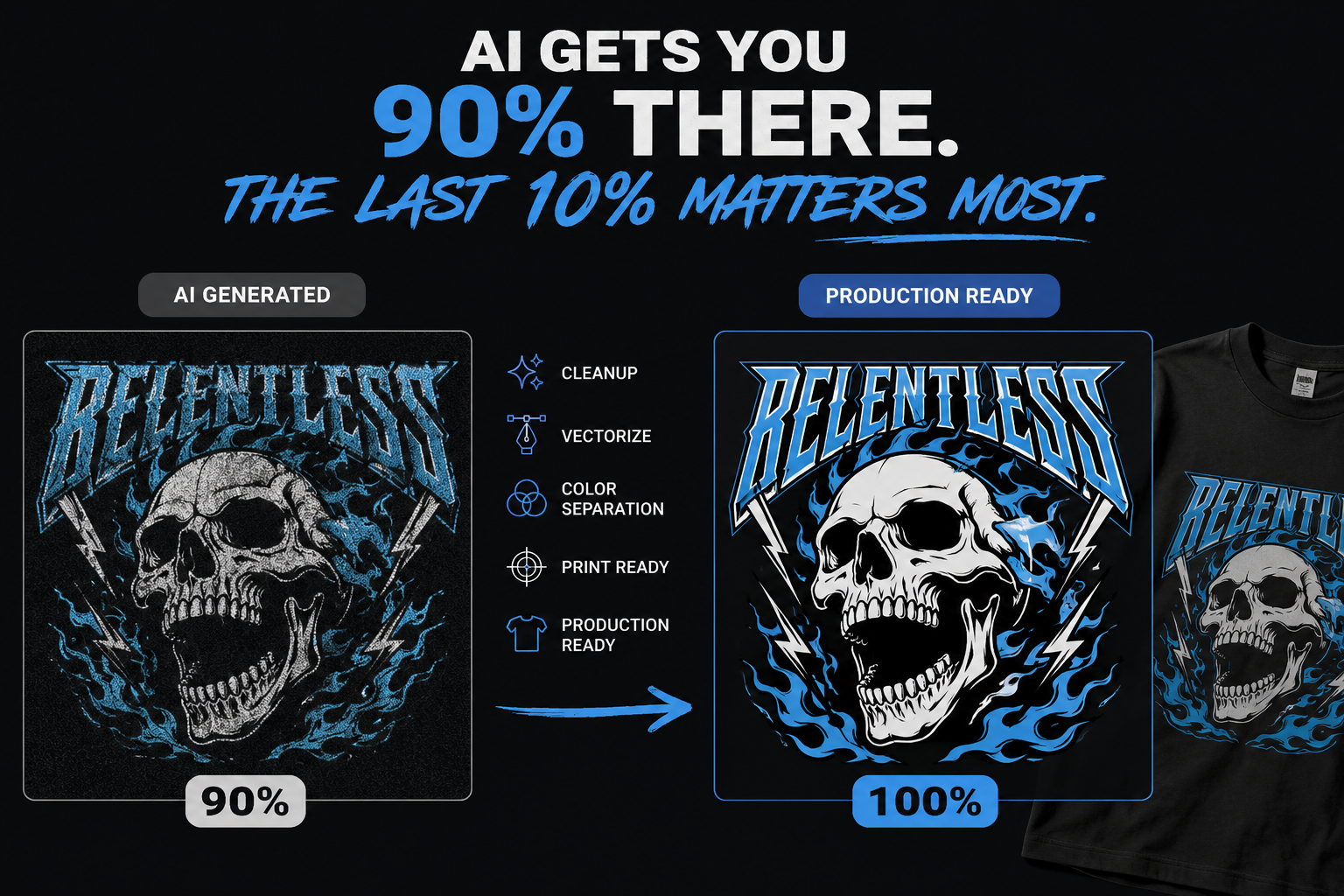
This is the biggest misconception in AI apparel design right now. You type a prompt into an AI image generator and get something visually impressive. The artwork looks finished. You think it’s ready to print.
Usually, it isn’t.
Most AI-generated images still need cleanup before production:
- Resolution fixes
- Text corrections
- Background cleanup
- Vector conversion
- Color simplification
- Print separation
- Embroidery adjustments
- Proper file formatting
That final 10% determines whether your artwork prints professionally or looks amateur. The real goal is preparing production-ready artwork that actually works on garments like custom t-shirts, custom hoodies, custom hats, and other apparel products.
1) Start With Better Prompts
AI is only as good as your prompt. Instead of vague ideas like “make a cool streetwear graphic,” give clear direction around the theme, mood, style, colors, textures, placement, and cultural references.
Better Prompt Example
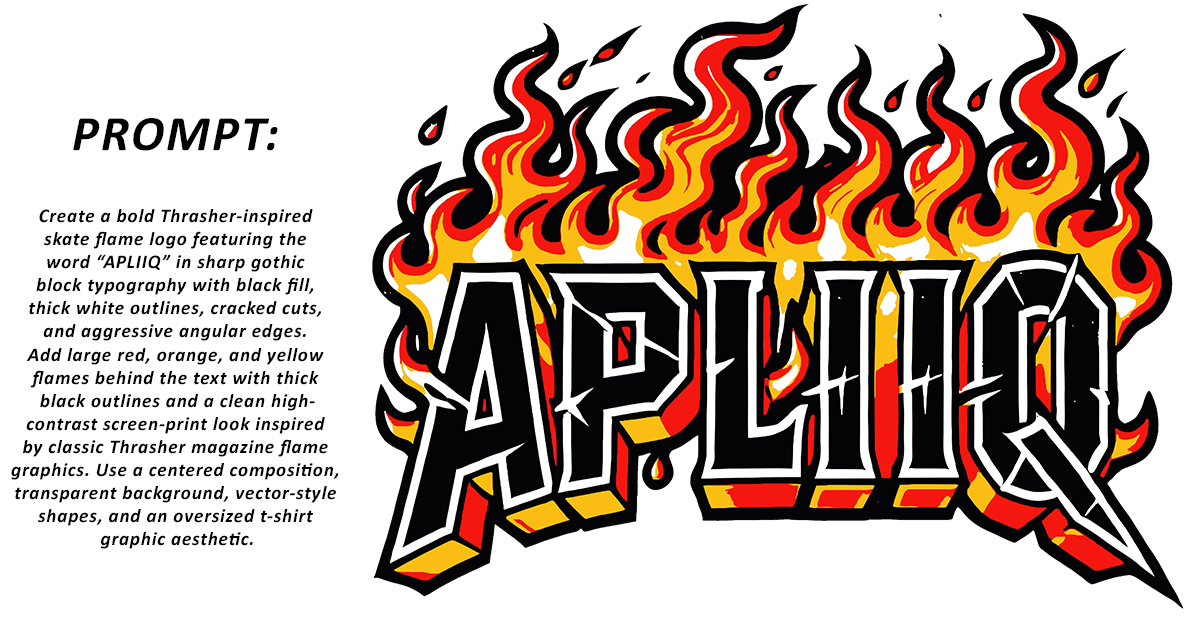
The more specific your prompt, the closer the output gets to something usable.
2) Define the Style Before Generating Artwork
One of the best ways to use AI for your clothing brand is to decide what type of artwork you want first. AI can generate completely different outputs depending on the direction you provide.
Tell AI Exactly What You Want:
- Illustration
- Graphic design
- Realistic artwork
- Anime-inspired visuals
- Vintage graphics
- Punk collage
- Luxury minimalism
- Tattoo-style artwork
- Y2K aesthetics
- Washed streetwear textures
- Monochrome
This helps maintain consistency across your collection instead of creating random disconnected graphics. Your brand identity becomes stronger when every design feels connected visually.
3) Use AI to Explore Themes and Vibes Faster
AI is incredible for creative exploration.
You can quickly test:
- Summer collection ideas
- Music-inspired drops
- Luxury streetwear concepts
- Nature themes
- Motorsport aesthetics
- Skate graphics
- Minimal logo systems
This is where AI becomes a serious competitive advantage for clothing brands. Instead of spending weeks experimenting manually, you can generate dozens of visual directions in hours and focus only on the strongest concepts.
4) You Can Recreate a Style Without Copying Artwork
Many successful brands use AI to study visual styles without directly copying existing designs, which is important because, while you should never recreate copyrighted artwork or logos, you can still draw inspiration from vintage posters, racing tees, retro sportswear, or luxury fashion aesthetics to create original graphics for your brand.
This helps you build artwork inspired by a visual category rather than stealing another artist’s work. That distinction matters for both branding and legal safety.
5) AI Still Struggles With Text and Logos
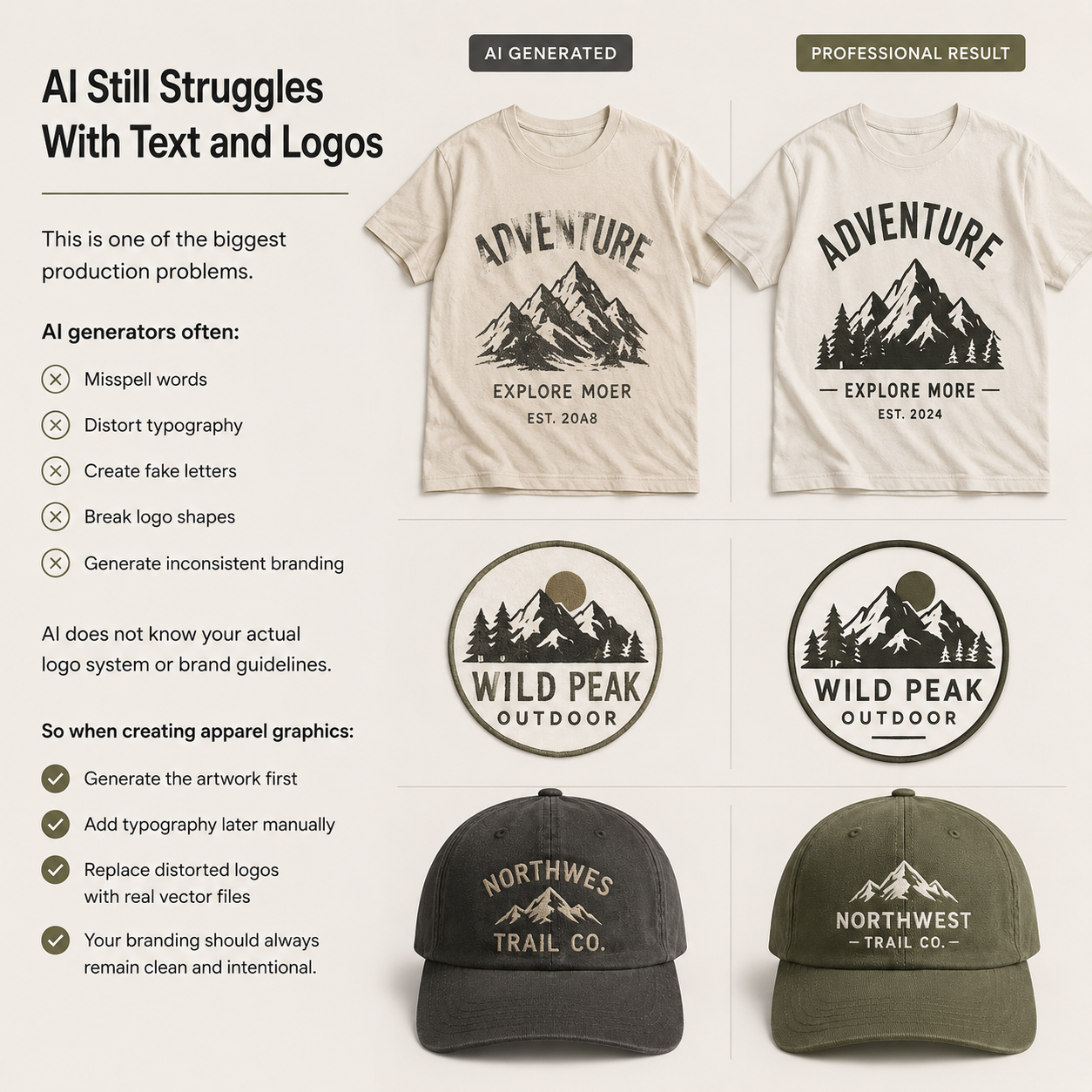
AI often misspells text, distorts logos, and breaks typography, so it’s best to generate the artwork first, then replace the text and branding manually with clean vector files.
6) Scale Up Your Artwork Correctly
Most AI-generated images are too small for apparel printing, so while a design may look sharp online, it can become blurry when enlarged onto hoodies, oversized tees, back prints, posters, or cut-and-sew panels. This is where AI upscaling tools help by increasing resolution before production, but keep in mind that upscaling only improves detail visibility and cannot fully fix poor-quality artwork, so always review sharpness carefully before printing.
7) Resolution Matters More Than Most Brands Realize
If you plan to print oversized back graphics on custom t-shirts, your artwork resolution and file preparation become even more important.
- Large enough for the intended print size (12” x 14,” for example)
- Clean and high resolution (300 DPI)
Low-resolution artwork creates:
- Pixelation
- Muddy edges
- Weak gradients
- Poor embroidery digitizing
- Low-quality final products
If your brand wants premium-quality garments, production-ready resolution is non-negotiable.
8) Convert Artwork Into Vector Files When Needed
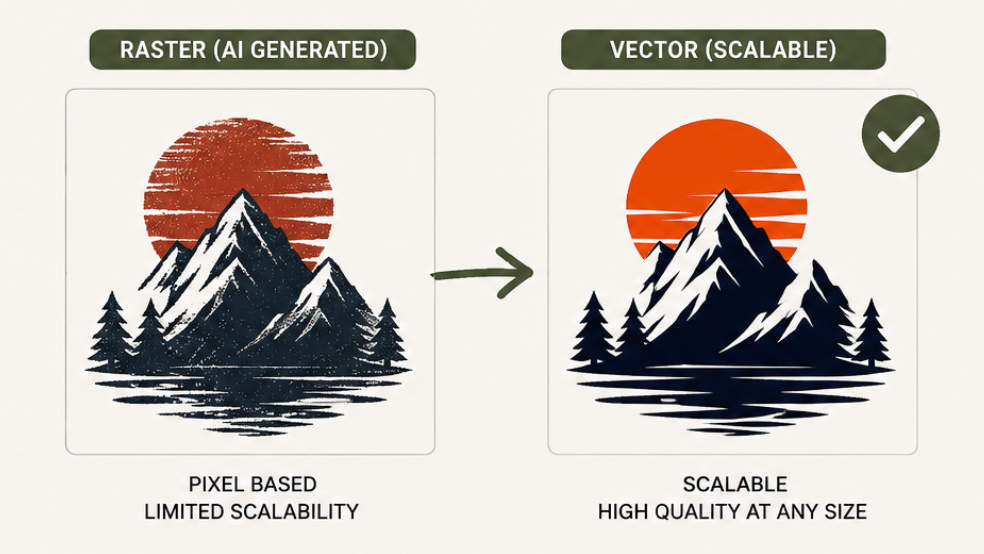
Some printing methods work best with vector artwork. (Raster files, on the other hand, are set pixels for that size of artwork.) Vector files are scalable without losing quality and are ideal for:
- Screen printing
- Logo work
- Patches
- Simple graphics
- Embroidery preparation
Common vector formats include AI, EPS, SVG, and PDF. If you’re unfamiliar with how vector graphics work, Adobe has a helpful guide explaining vector file formats and scalability for print and design workflows.
AI-generated artwork often comes as raster images, meaning they need vector conversion before production.
This step is especially important for:
- One-color artwork
- Bold graphics
- Simplified logos
- Patch designs
9) Simplify Colors for Better Printing
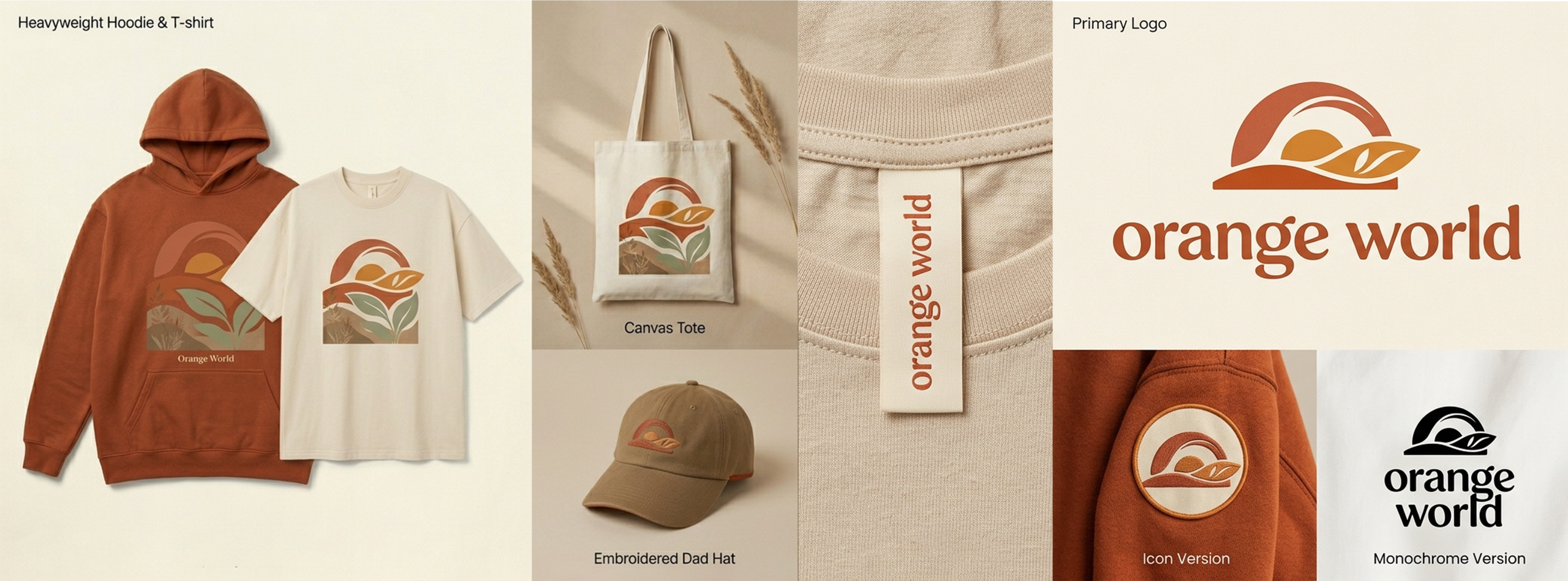
Not every AI-generated image is ready for apparel printing. Many AI outputs include heavy gradients, excessive color blending, tiny details, and complex shadows that do not translate well onto garments. In apparel production, simpler artwork often creates cleaner and more professional results. That is why some of the best-selling streetwear graphics still rely on one-color designs, cream monochrome prints, minimal line art, and distressed single-color artwork. These styles print cleaner, cost less to produce, work across multiple garment colors, and maintain a timeless aesthetic that lasts beyond short trends. AI can generate highly detailed concepts quickly, but refining those ideas into simplified, production-ready graphics usually leads to stronger final apparel designs.
10) Recreate Artwork From Scratch Instead of Editing Bad Files
Sometimes it’s faster to rebuild AI-generated artwork from scratch since many files contain artifacts, messy edges, layering issues, and unusable textures, which is why professional designers often use AI outputs as references rather than final production files.
The workflow becomes:
- Generate concepts with AI
- Select the strongest direction
- Rebuild clean production artwork manually
- Prepare for printing
That process produces significantly better apparel graphics.
11) AI for Embroidery and Patch Design
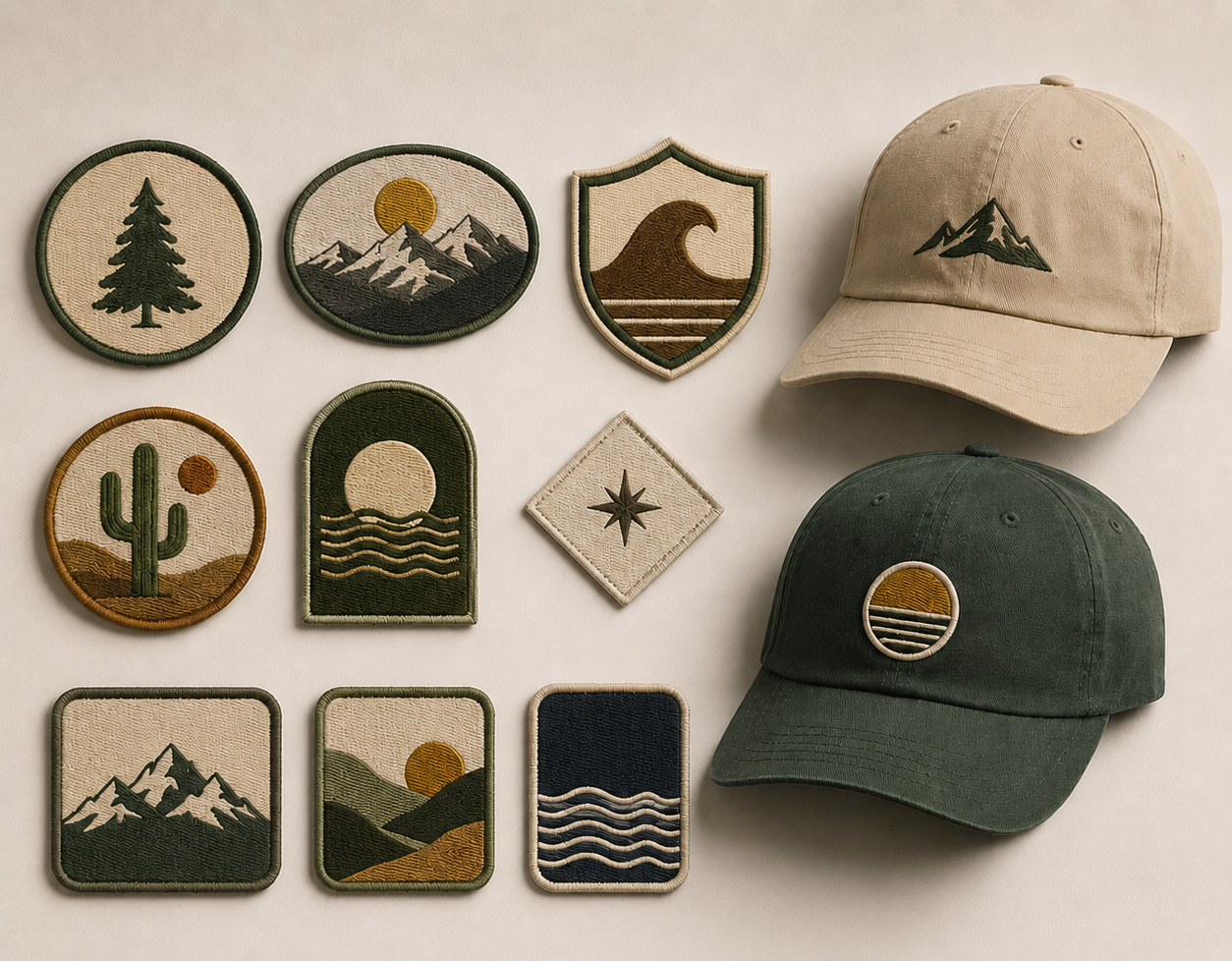
AI can also help generate:
- Embroidered patch concepts
- Hat artwork
- Badge layouts
- Vintage woven aesthetics
But embroidery requires simplification. Tiny details that look good digitally may fail during stitching. When designing for embroidery:
- Use bold shapes
- Reduce detail
- Limit colors
- Increase line thickness
- Avoid tiny text
Rendering embroidery concepts with AI is useful for visualization, but digitizing still requires technical embroidery expertise.
Final Thoughts
AI is changing how clothing brands create artwork, but the brands that stand out are the ones combining AI speed with a real production strategy.
The goal is not to replace creativity.
The goal is to remove creative bottlenecks. And when you’re ready to turn those ideas into real garments, Apliiq helps bring your designs to life with premium customization, print-on-demand production, embroidery, patches, warehousing, and fulfillment solutions built for growing clothing brands.